
Companies
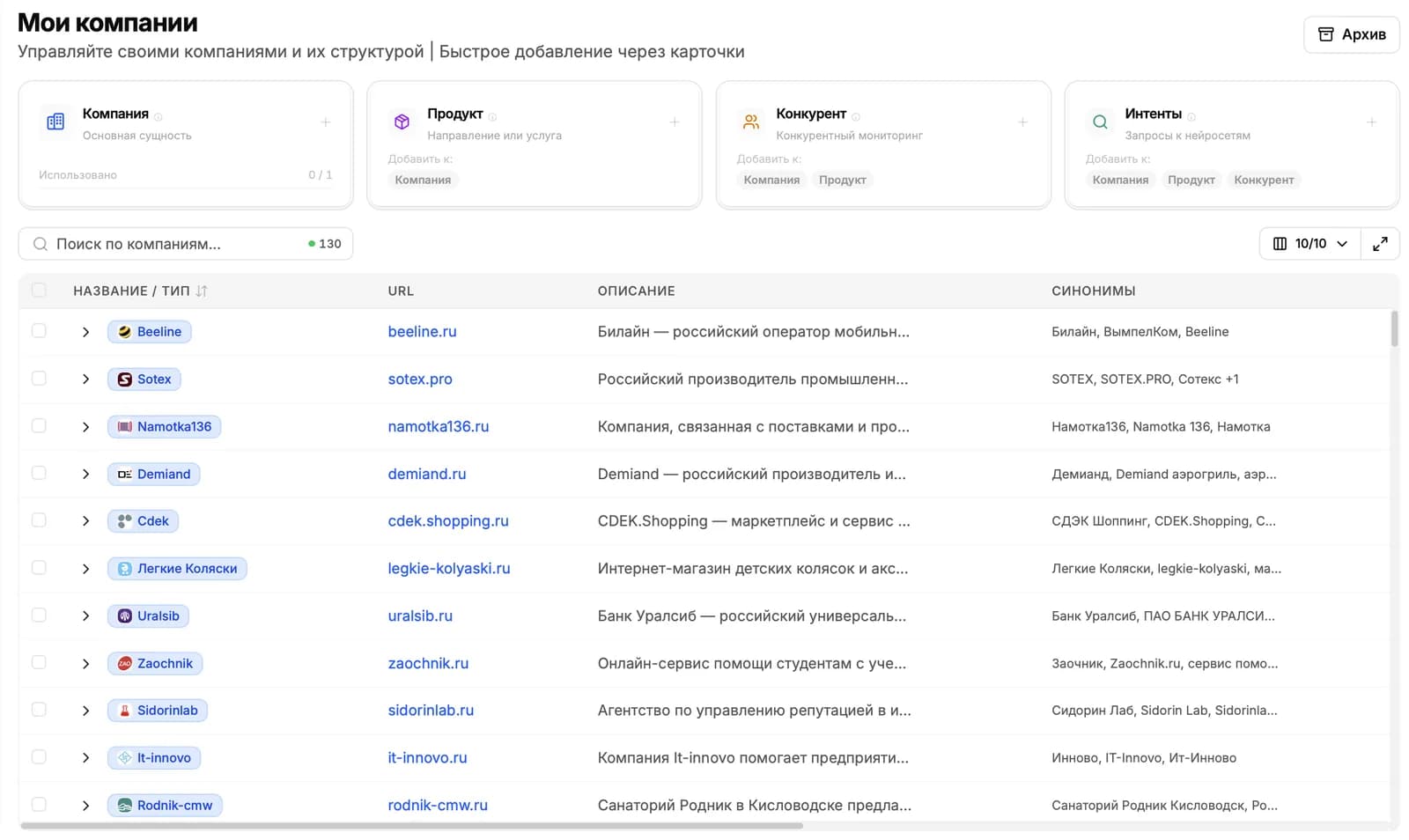
A company is the brand you track in AI answers. Start by creating a company: the platform studies its website and gathers products and competitors. All your analytics are then organized around that company.
What is a company?
A company represents your brand within the platform. Everything you track in AI answers, including mentions, sentiment and competitor comparisons, belongs to a company.
A company contains two kinds of items:
- Products. individual business lines, services or products. For a coffee shop, these could be breakfast delivery, a bakery or a cooking school. You can view analytics for each product separately.
- Competitors. other brands you want to compare with your own in AI answers.
Each company also has a brand card: notes that the platform uses to generate queries and prepare content. A separate guide explains how it works.
How to create a company
Click “Create company” on the dashboard or in “My companies”. A short two-step wizard opens.
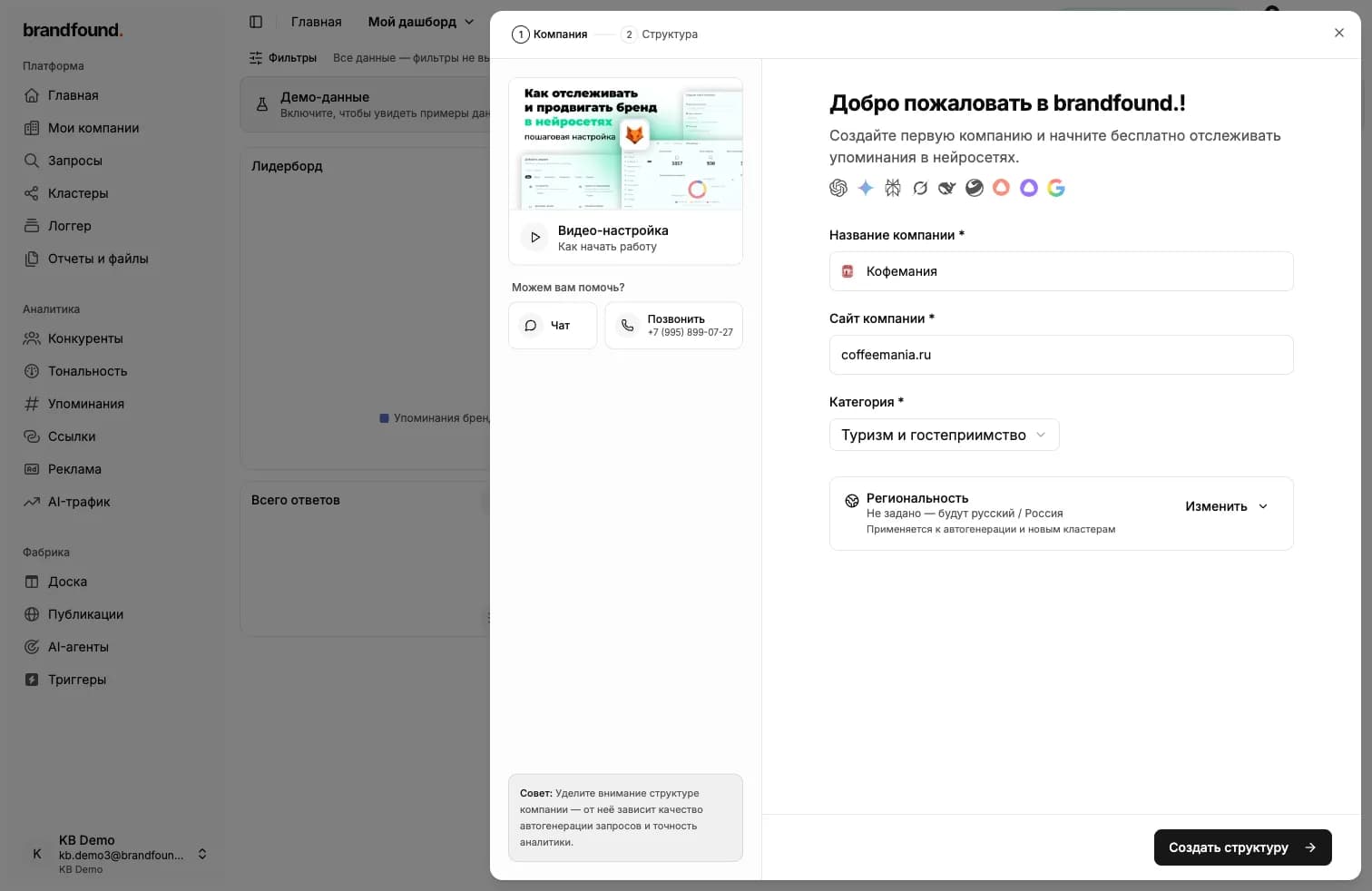
Step 1. Company
Complete three fields to help the platform understand your brand:
- Name - the company name shown in the interface and reports.
- Website - your website address. The platform uses it to study the brand in the next step.
- Category - your business sector. This helps the platform suggest more relevant queries.
Region settings. You can also choose the language and country for query generation. The defaults are Russian and Russia; change them to match your target market.
Step 2. Structure
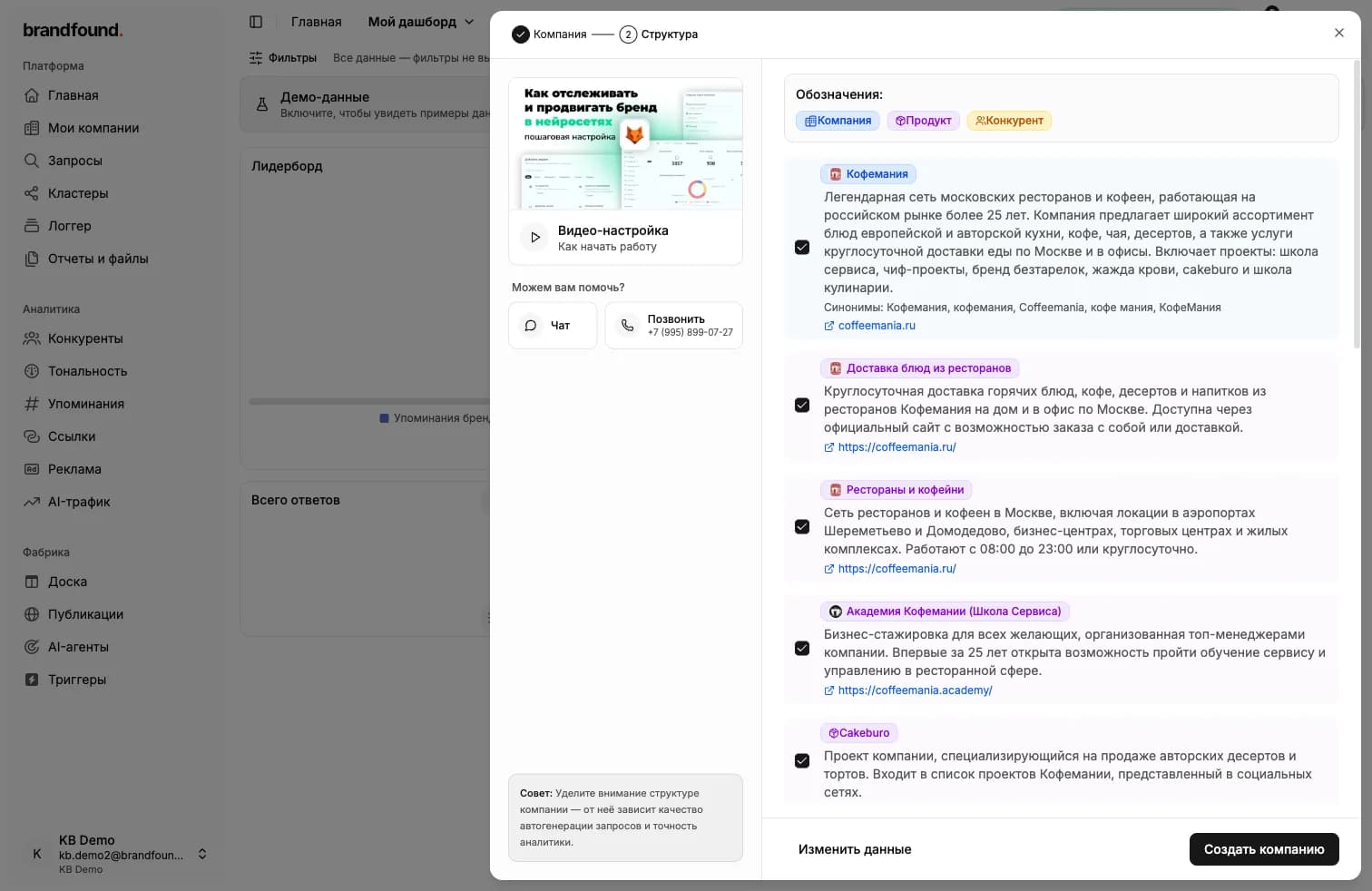
Click “Create structure”. The platform visits and studies your website, then builds a company description, product list and competitor list in 15–30 seconds.
The results appear as a checklist. You can:
- uncheck anything you do not want to save;
- click “Edit details” to update names and descriptions;
- keep everything as it is if the results look right.
When the structure is ready, click “Create company”. The brand, products and competitors are saved together.
What comes next
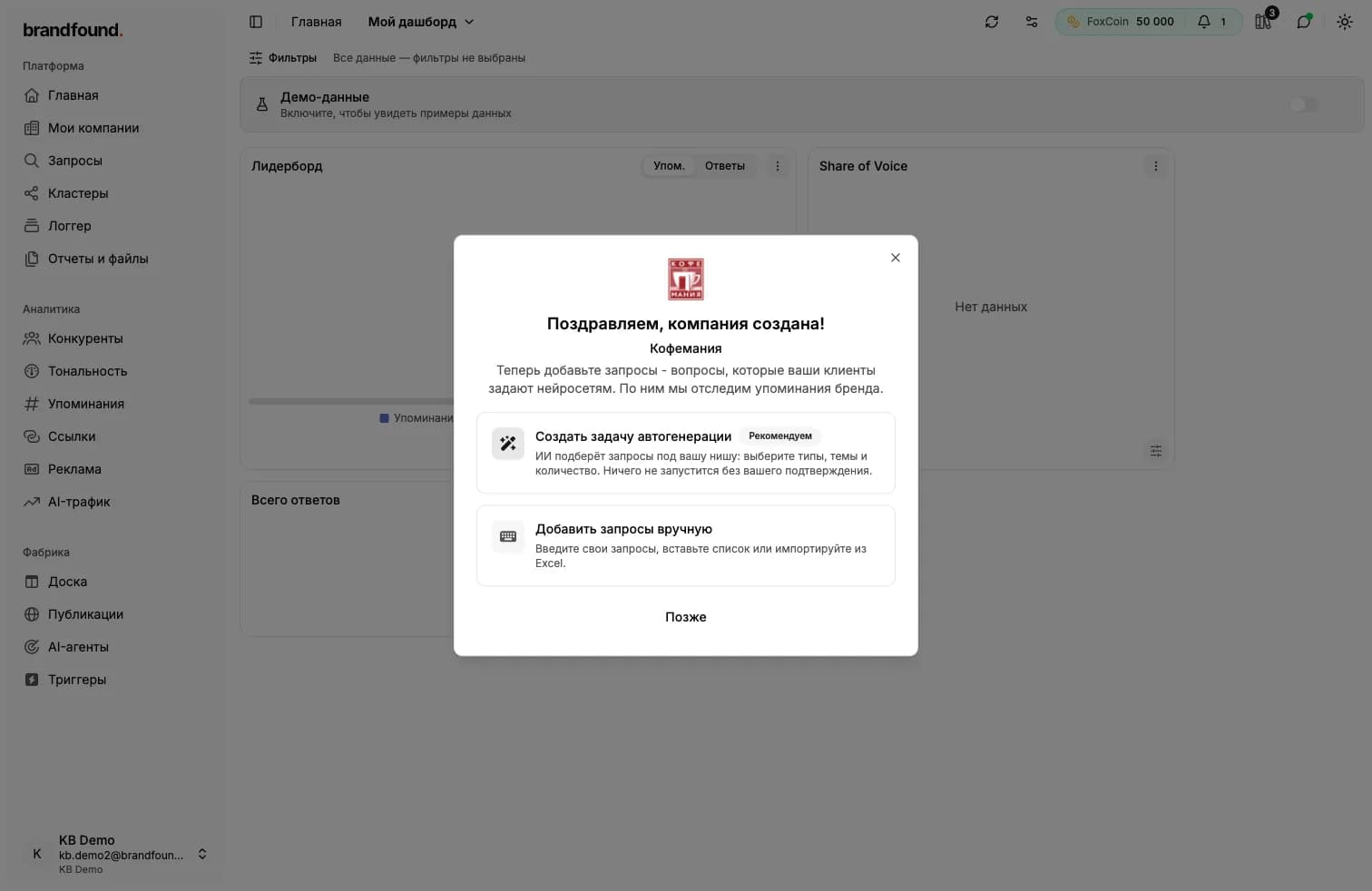
After creation, a dialog invites you to add queries: questions your customers ask AI systems. The platform uses them to track brand mentions. There are three options:
- Create an auto-generation task - the platform suggests queries for your niche. Nothing runs without your confirmation. See the separate guide for details.
- Add queries manually - enter your own queries or paste an existing list. This is also covered in a separate guide.
- Later - close the dialog and return to queries whenever you want.
The company page
Open a company from the list to see its page with these tabs:
- Brand card - brand notes used during generation. See the separate guide.
- Synonyms - alternative spellings of the brand name.
- Products - the brand’s business lines and services.
- Competitors - brands to compare with your own.
The “Auto-generate queries” and “Edit” buttons are also at the top of the page.
Why synonyms matter
AI answers may refer to the same brand using different spellings. For example, a coffee shop might appear as “Coffeemania”, its Cyrillic spelling or “Coffeemania Moscow”. Without these variants, the platform only counts exact name matches and may miss some mentions.
When you create a company using its structure, synonyms are suggested automatically. Review and add to them in the “Synonyms” tab.
Do not put links in synonyms
Continue reading
Didn't find what you need?
Drop us a line - we usually reply within a few hours on weekdays.