

На каких ответах считается тональность
Тональность считается на уровне всего ответа, а не отдельных упоминаний. Для каждого ответа AI-модель оценивает несколько параметров: общую эмоциональную окраску, релевантность бренду, достоверность фактов, полезность для пользователя.
Набор метрик зависит от типа запроса. У нейтральных, сравнительных и негативных запросов цели разные, поэтому и оценки тоже различаются.
Фильтры
Слева доступны те же фильтры, что и в других разделах аналитики: компания, продукт, нейросети, период. Дополнительно есть два фильтра, специфичных для тональности: «Тип запроса» (нейтральный, сравнительный, негативный или все) и «Тональность» (только позитивная, нейтральная или негативная).
Сводка из четырёх карточек
В шапке страницы 4 показателя, по которым видно общее состояние бренда в нейросетях:
- Общий балл по шкале 0-100 с прогресс-баром. Зелёный, жёлтый или красный цвет даёт мгновенное понимание.
- Всего ответов за выбранный период и разбивка на позитивные, нейтральные и негативные.
- Позитивность: доля позитивных ответов от общего числа.
- Требует внимания: количество проблемных ответов, которые стоит разобрать первыми.

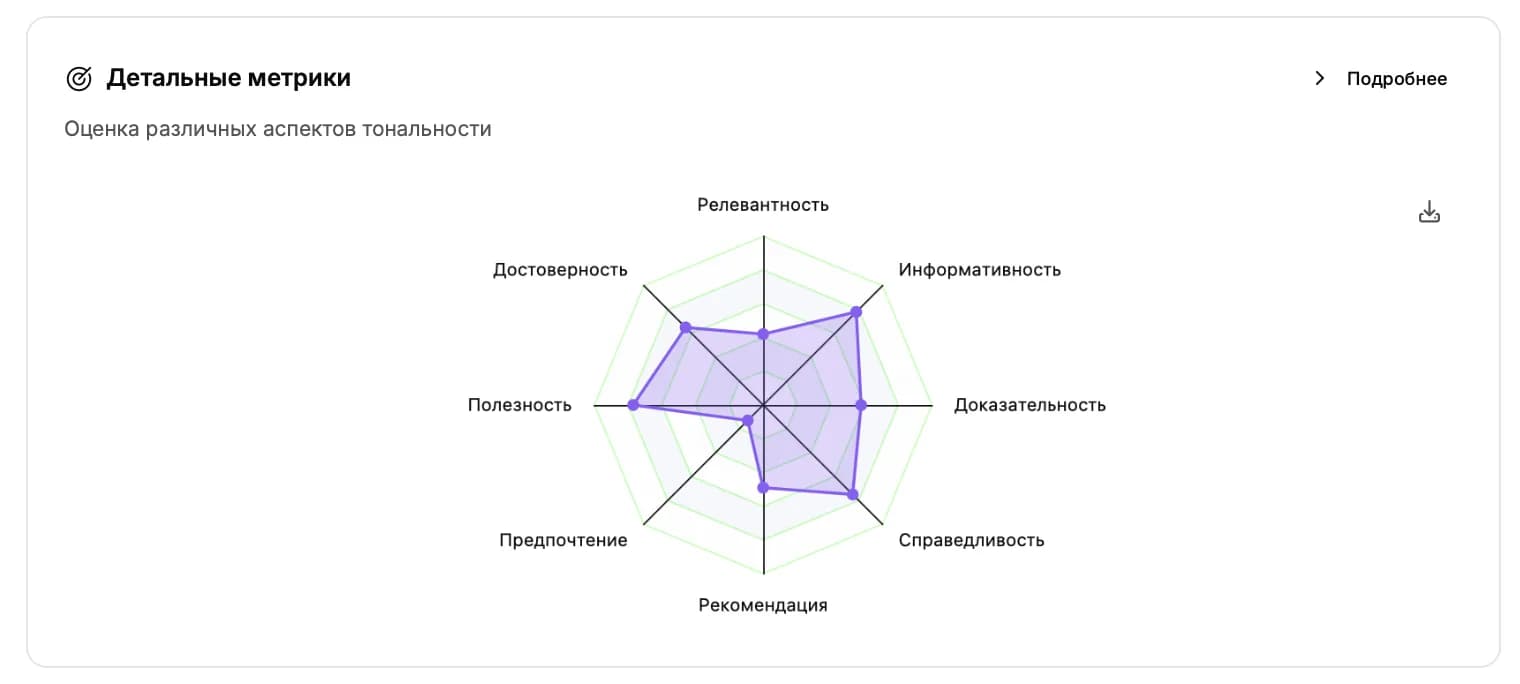
Детальные метрики
Радар-диаграмма раскрывает общий балл на конкретные параметры. Каждый параметр оценивается отдельно и помогает понять, в чём именно бренд выглядит хорошо, а в чём недотягивает.
Универсальные метрики (есть у всех типов запросов)
- Релевантность бренду: насколько ответ вообще касается вашего бренда.
- Достоверность фактов: уверенность модели в том, что факты в ответе соответствуют действительности.
- Полезность: насколько ответ полезен пользователю, который его прочитает.
Для негативных запросов
- Серьёзность проблемы: насколько серьёзный негатив в ответе.
- Влияние на бренд: как сильно этот ответ может повлиять на репутацию.
- Возможность действовать: можно ли по этому ответу что-то конкретно исправить.
Для сравнительных запросов
- Предпочтение бренда: на чьей стороне нейросеть в сравнении.
- Сила рекомендации: насколько уверенно рекомендуют или не рекомендуют.
- Справедливость: объективен ли ответ или предвзят.
- Доказательность: подкреплена ли позиция аргументами и источниками.
Для нейтральных запросов
- Информативность: насколько ответ содержательный, а не «вода».
- Полнота: охватывает ли ответ тему целиком или только её часть.
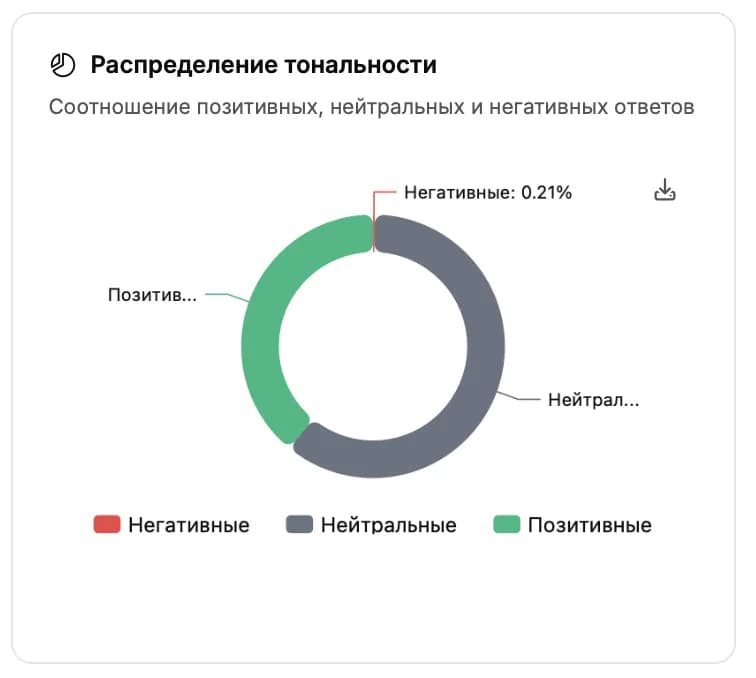
Распределение тональности
Пончик-диаграмма с разбивкой ответов на три категории: позитивные (зелёный), нейтральные (серый), негативные (красный). Один взгляд показывает, какая эмоциональная окраска преобладает в ответах нейросетей о вашем бренде.
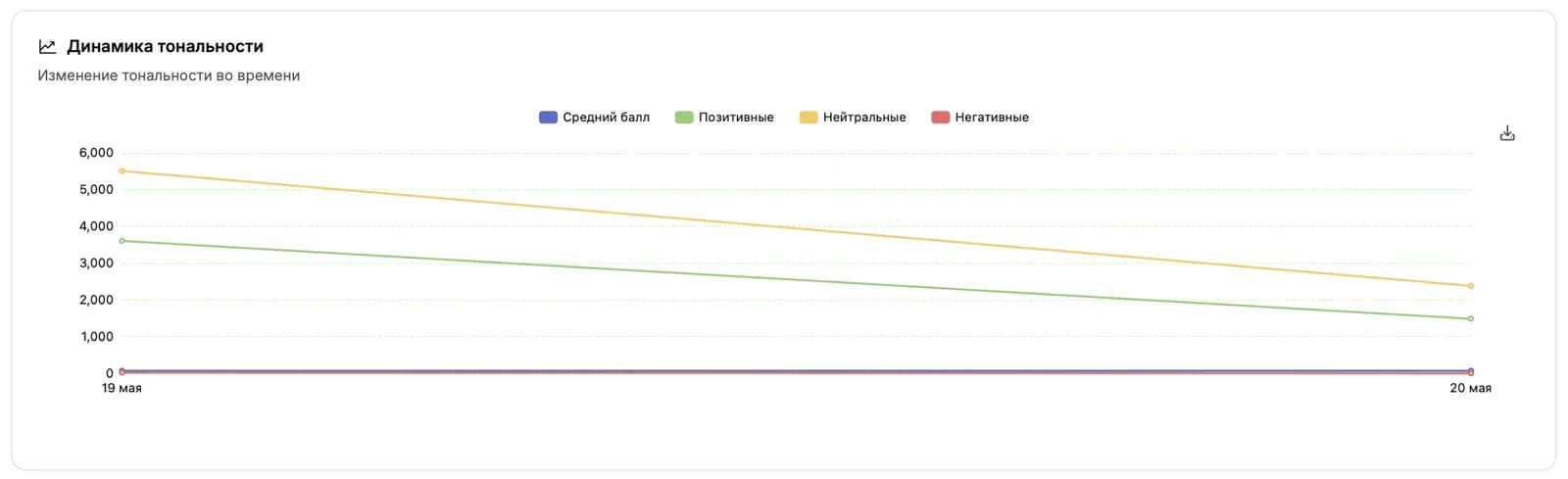
Динамика тональности
Линейный график показывает, как меняется средний балл и распределение тональности день за днём. Удобно ловить моменты, когда после какого-то события (релиз, новость, изменение в продукте) тональность резко поползла вверх или вниз.
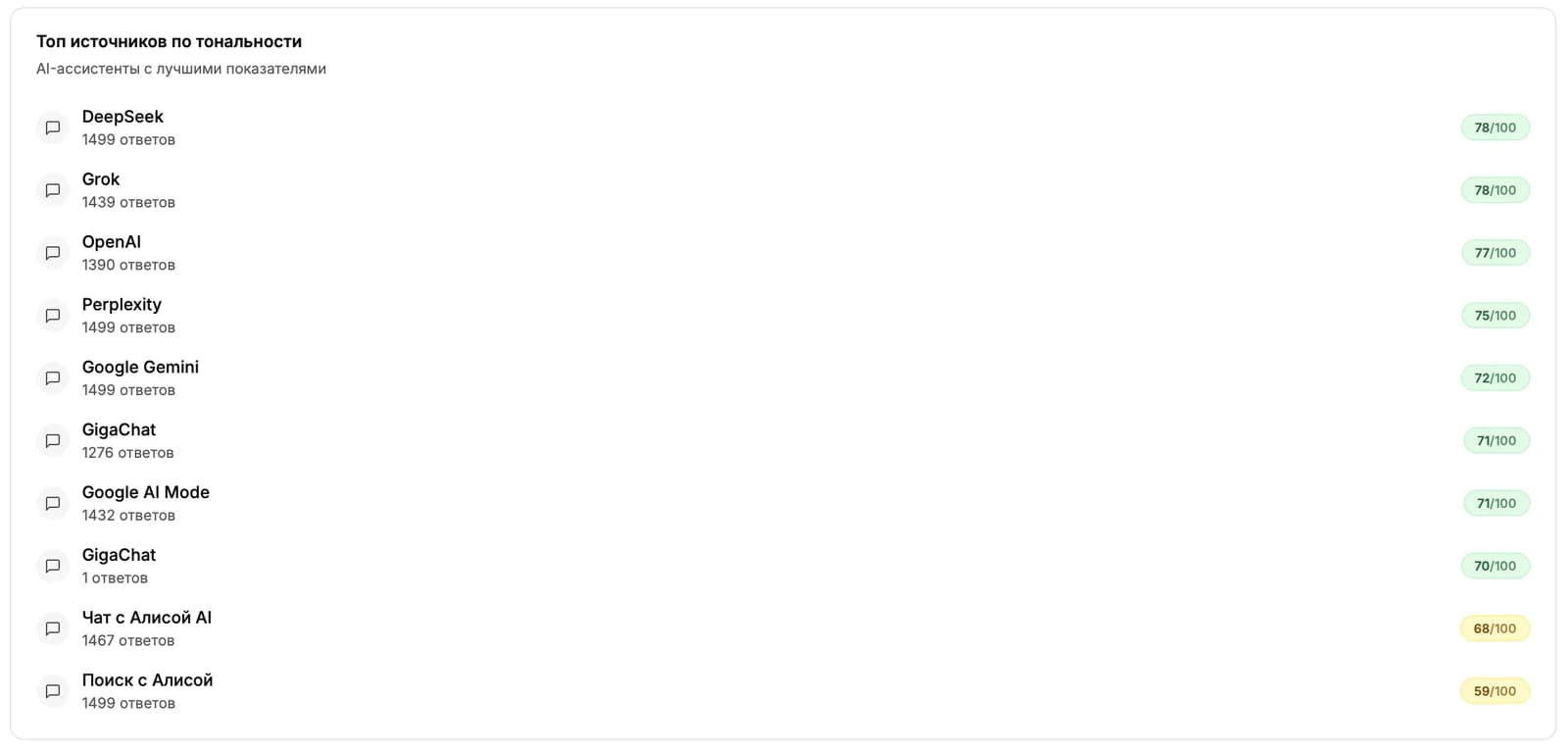
Топ источников по тональности
Таблица с нейросетями (ChatGPT, Gemini, Perplexity и другими), количеством их ответов и средним баллом. Видно, в какой нейросети у вас лучшая репутация, а где есть провалы и нужна точечная работа.
План действий
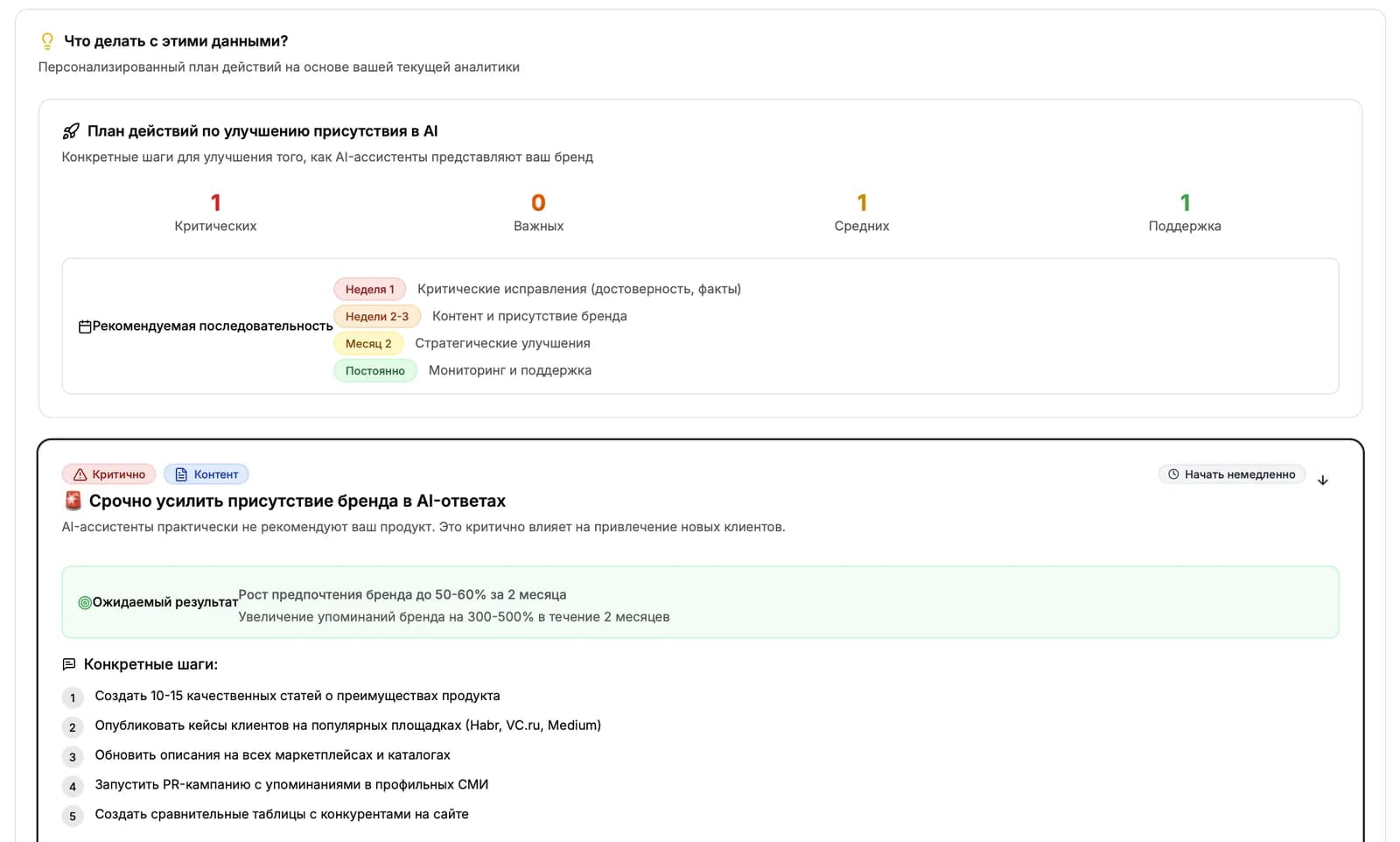
Под виджетами выводится блок «Что делать с этими данными?». Это список конкретных рекомендаций, разделённых по приоритету: критичные, важные, средние и поддерживающие. Подсказки строятся автоматически на основе самых заметных пробелов и сильных сторон.
Списки ответов
Внизу страницы три списка с конкретными примерами. По каждому можно открыть полный текст ответа.
Проблемные ответы
Ответы с самым низким баллом или с высоким влиянием на бренд. Это первое, что стоит разобрать: понять, почему нейросеть так говорит, и поправить структуру компании, синонимы или источники.
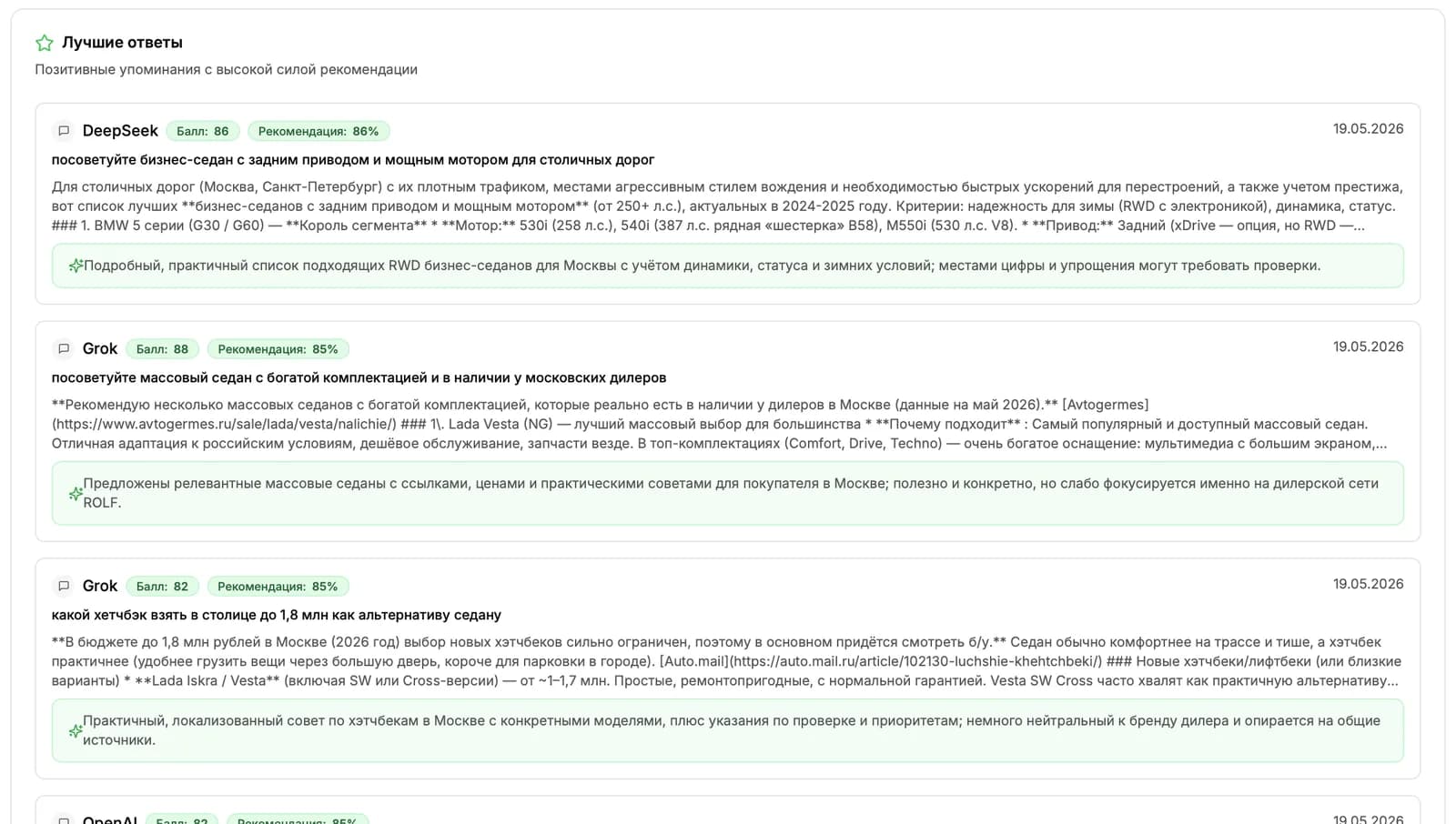
Лучшие ответы
Ответы с самым высоким баллом и сильной рекомендацией. Подсказывают, какие формулировки и подача работают на вас лучше всего.
Ответы с флагами
Ответы, в которых модель отметила что-то нестандартное: подозрительные источники, возможные неточности, спорные утверждения. Удобно для ручной проверки рисков.
Дальше читать
Не нашли ответ?
Напишите нам - отвечаем по будням в течение нескольких часов.