

Логика работы
Раздел отвечает на простой вопрос: «что именно делать с данными из аналитики?» Видите низкую тональность у конкретного запроса, разрыв в упоминаниях с конкурентом или новый источник, который часто цитирует AI, и тут же получаете карточку задачи с готовой рекомендацией и черновиком плана.
Внутри фабрики собраны все инструменты для цикла «увидели проблему то решили её то опубликовали то измерили эффект».
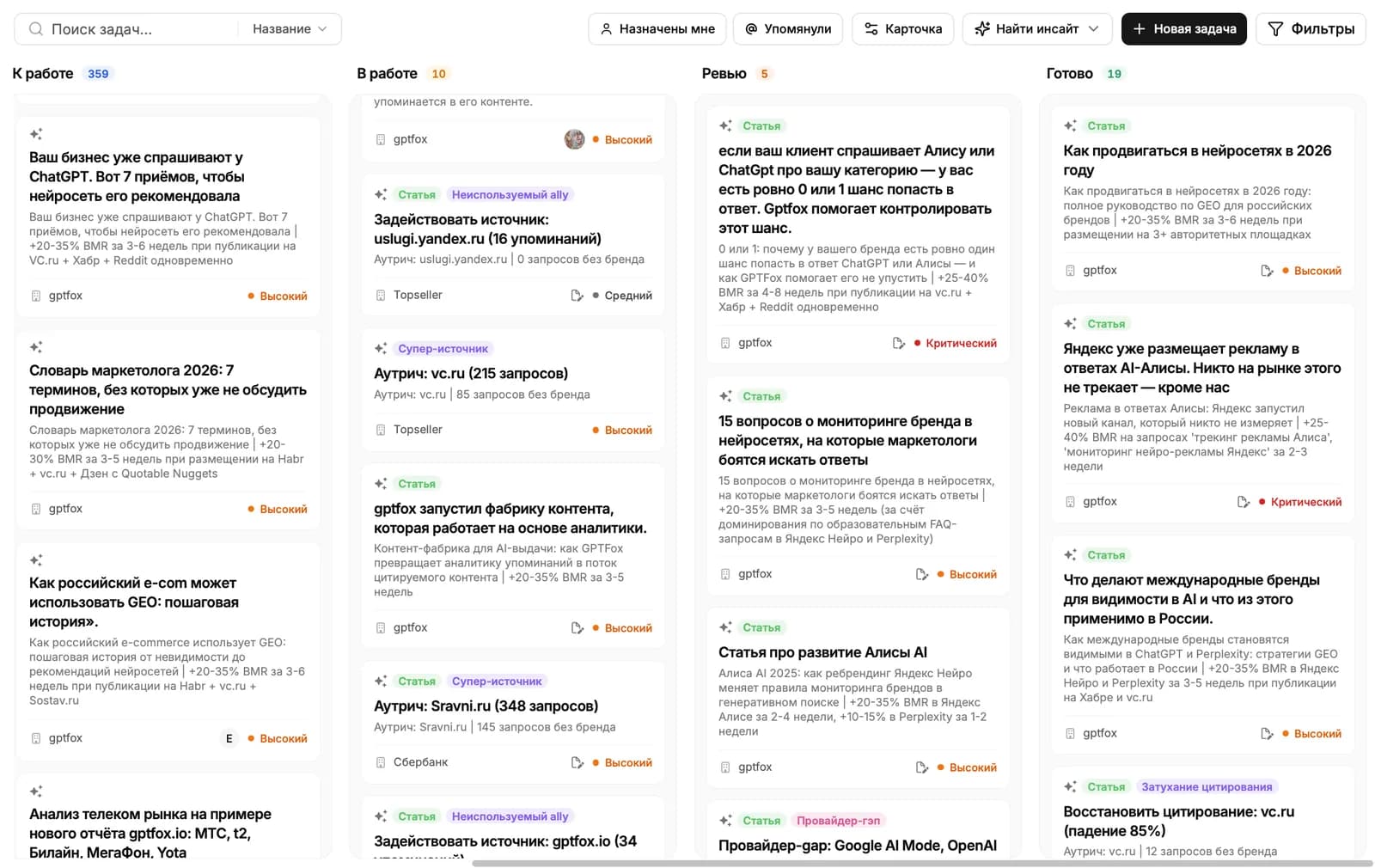
Из чего состоит фабрика
Раздел разбит на шесть подразделов в боковом меню:
- Доска. Канбан с карточками задач: где они сейчас, кто отвечает, что внутри. Сердце фабрики.
- AI-агенты. Пятнадцать аналитических агентов, которые регулярно сканируют ваши данные и сами кладут новые карточки на доску. Каждого можно включать и выключать.
- Триггеры. Правила автоматизации: когда сработало такое-то событие, перенести карточку в такой-то столбец доски.
- RAG. Хранилище контента, на котором учится наша AI-модель. Сюда подгружаются и режутся на фрагменты сайты, которые часто цитируют нейросети.
- Публикации. Лента опубликованных материалов и трекинг их появления в ответах AI: когда заметили в первый раз, как часто цитируют, на каких нейросетях.
Типичный поток работы
Большинство сценариев идут по одному маршруту:
- AI-агент находит проблему или возможность, например резкое падение Brand Mention Rate, и создаёт карточку в столбце «Идея».
- Вы открываете карточку и видите автоматический анализ: что произошло, по каким запросам, каких источников нам не хватает.
- Рядом во вкладках «Источники» и «RAG» лежит контекст: на что AI ссылается чаще всего и какие фрагменты этих источников можно использовать.
- В вкладке «Контент» появляется контент-план с рекомендациями по тону, длине, структуре. План можно отредактировать или сгенерировать другую версию.
- Когда статья готова, во вкладке «Публикации» добавляется ссылка на размещение, и система начинает отслеживать, когда она впервые попадёт в ответы нейросетей.
- Карточка двигается по доске. Триггеры могут переносить её автоматически при определённых событиях.
Дальше читать
Не нашли ответ?
Напишите нам - отвечаем по будням в течение нескольких часов.