

Зачем нужен RAG
Если просто попросить нейросеть написать материал, она напишет что-то общее. С RAG модель сначала смотрит, что уже писали по теме на авторитетных площадках, а потом строит свой план и текст на основе этих фрагментов.
Это даёт два эффекта. Во-первых, материал получается фактически точным, а не выдуманным. Во-вторых, он перекликается со стилем источников, которые уже хорошо цитируются нейросетями, поэтому шанс на цитирование вашей публикации тоже повышается.
Как наполняется RAG
Цепочка из четырёх шагов, она работает автоматически:
- Сбор ссылок. Платформа собирает все ссылки, которые нейросети дают в ответах на ваши запросы. Это происходит каждый день автоматически.
- Загрузка содержимого. По собранным ссылкам система забирает текст страниц. Не картинки и не рекламу, а основное тело статьи.
- Нарезка на фрагменты. Длинные тексты делятся на короткие смысловые куски. Это нужно, чтобы модель могла процитировать одну мысль, а не всю страницу.
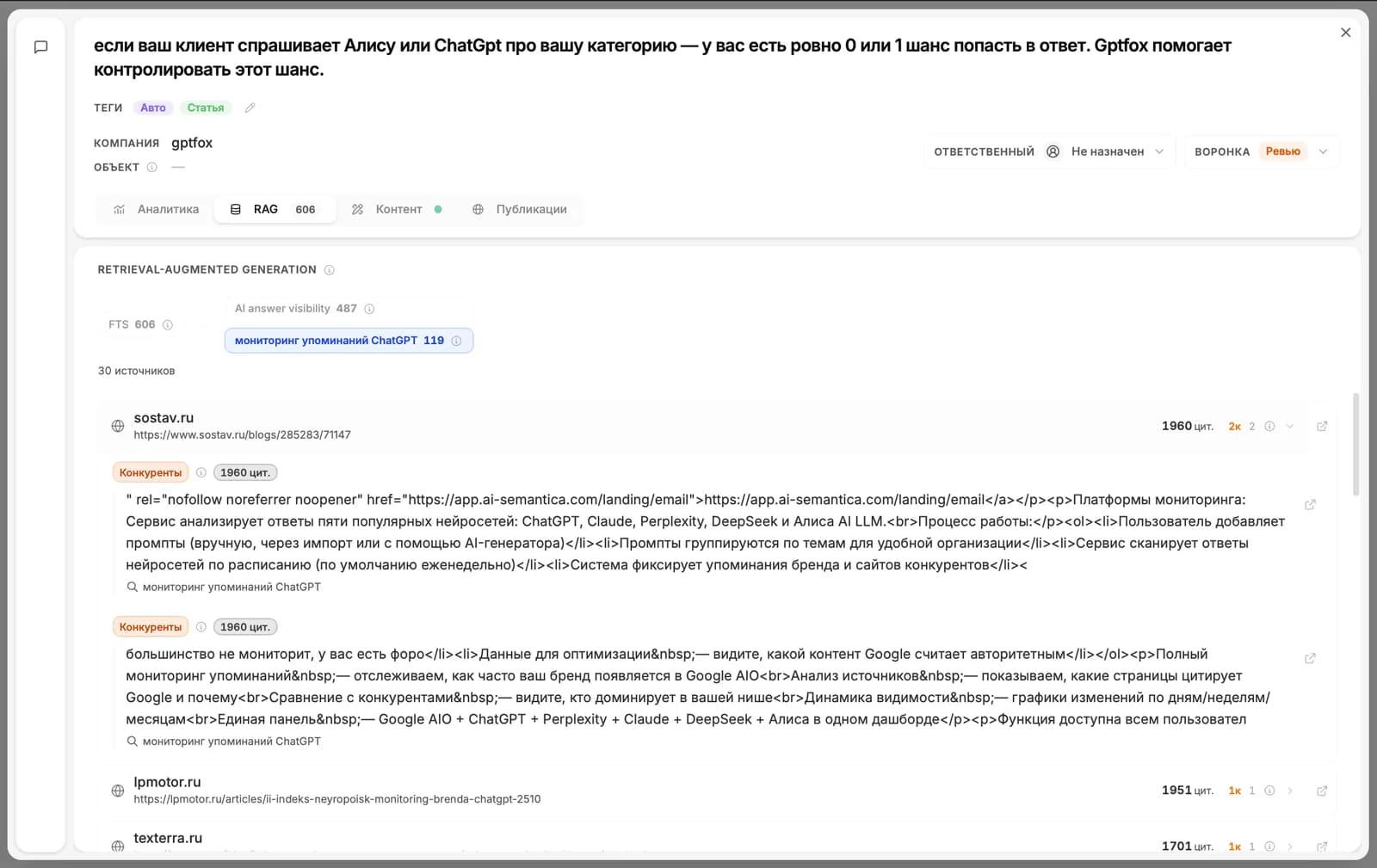
- Поиск по запросу. Когда вы открываете карточку, для неё ищутся самые подходящие фрагменты по теме. Они и попадают на вкладку RAG.
Что вы видите в карточке
На вкладке RAG лежит список фрагментов: сам текст фрагмента, домен источника, заголовок страницы и кнопка перейти на оригинал.
Эти фрагменты используются на вкладке «Бриф» при генерации плана и на вкладке «Контент» при генерации текста. Если вы видите, что подобрались нерелевантные источники, можно частично заменить их вручную и перегенерировать материал.
Дальше читать
Не нашли ответ?
Напишите нам - отвечаем по будням в течение нескольких часов.