

Что такое кластер
Представьте крупный банк, у которого есть продукт «Ипотека». Внутри ипотеки есть подтемы: семейная ипотека, IT-ипотека, рефинансирование, ипотека на новостройки. Каждая такая подтема и есть кластер.
Кластеры нужны, чтобы быстро управлять группой запросов и считать аналитику не по продукту целиком, а по конкретному направлению внутри него.
Как создавать кластеры
Кластеризовать запросы можно четырьмя способами. Все они работают на одних и тех же запросах, поэтому выбирайте удобный для вашей задачи.
1. При создании запросов вручную
Когда вы добавляете запросы в поле «Введите запрос», система может разложить их по существующим или новым кластерам автоматически. Удобно для коротких списков из нескольких десятков запросов.
2. При импорте из файла
Если вы загружаете запросы из Excel, кластеризация происходит автоматически уже в момент импорта. Удобно для больших массивов на сотни и тысячи запросов.
3. При генерации
В диалоге «Генерация запросов» вы выбираете режим: автоматическая кластеризация (модель сама разложит по существующим или новым кластерам) или ручной выбор кластеров (укажете заранее, в какие кластеры пойдут сгенерированные запросы).
4. Из таблицы запросов
В разделе «Запросы» отметьте чекбоксами нужные строки, откройте меню «Действия» и выберите «Кластеры». В диалоге сразу видно, в каких кластерах уже состоят выбранные запросы и сколько именно. Один клик по кластеру добавляет в него все выбранные запросы, повторный клик убирает их оттуда. Тут же можно создать новый кластер: введите название в поле «Создать новый кластер» и нажмите Enter.
5. Через MCP
Если вы работаете с системой через MCP-интеграцию (например, через чат с ИИ-ассистентом), можно дать команду: «найди такие-то запросы и кластеризуй их по такому-то признаку». Ассистент сам подберёт нужные запросы из вашей базы и разложит их по кластерам.
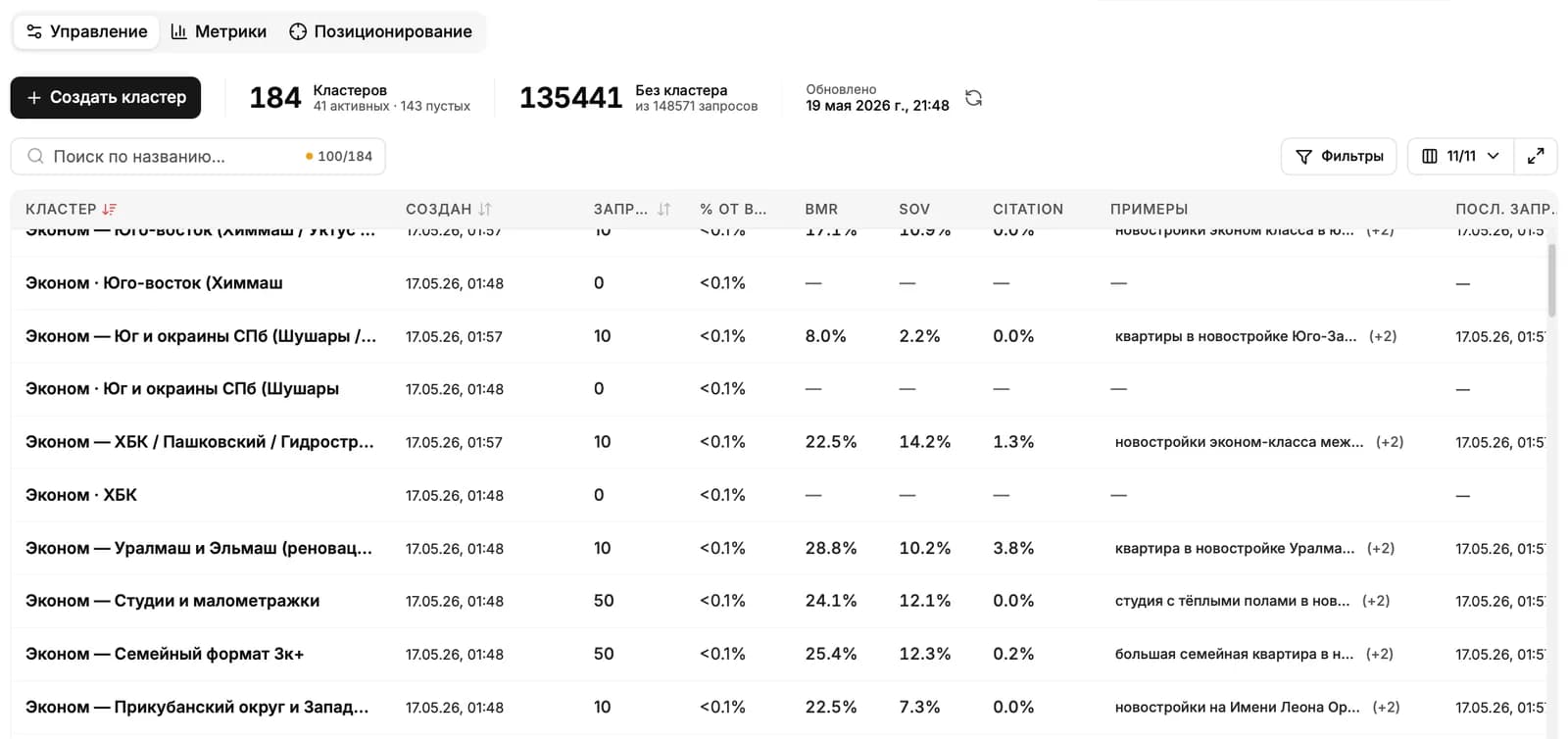
Метрики по кластерам
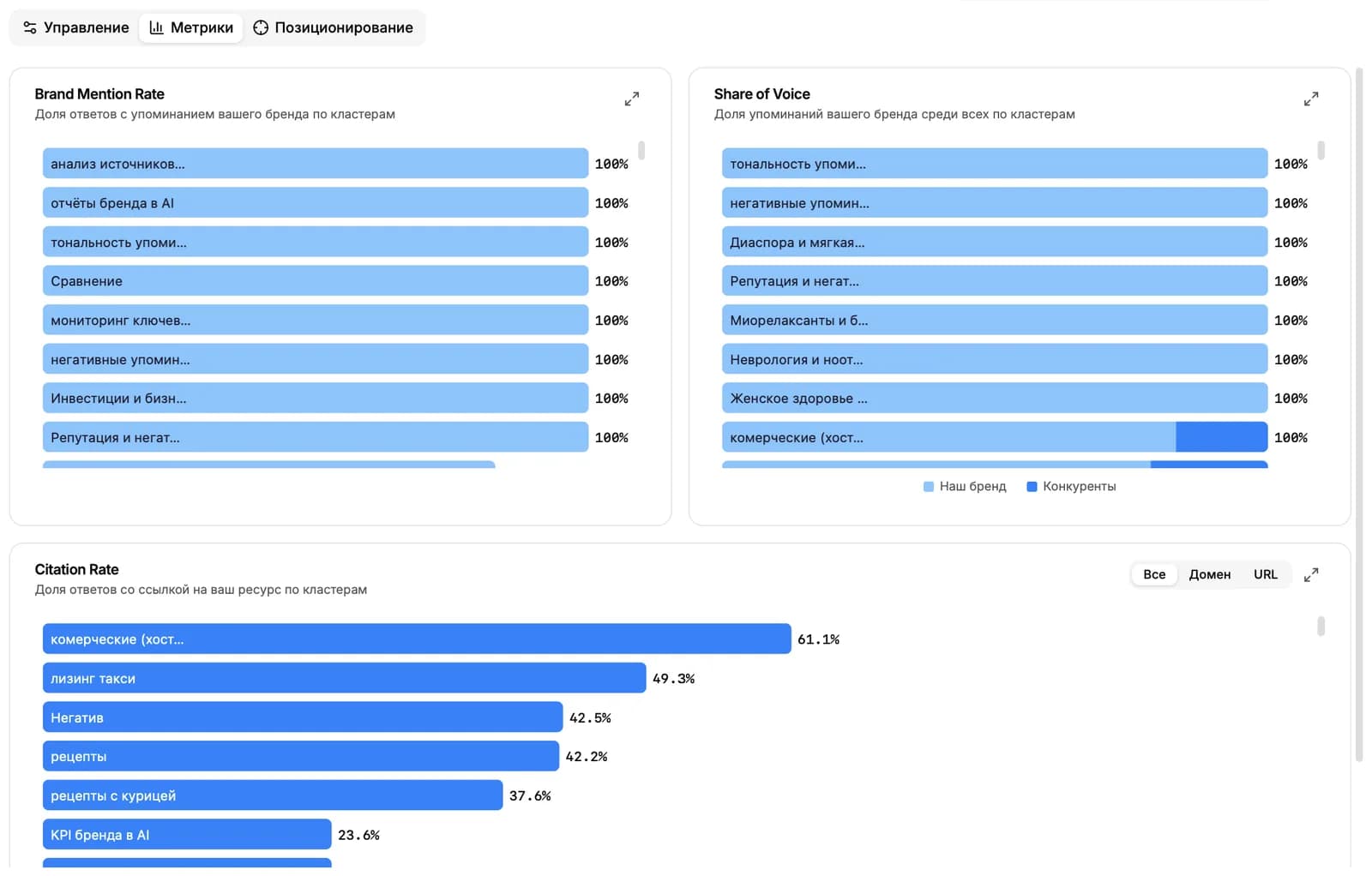
Когда кластер сформирован, по нему сразу доступна полная аналитика. На странице кластера вы видите три ключевые метрики:
- BMR (доля упоминаний бренда). Какая часть ответов нейросетей по запросам этого кластера упомянула ваш бренд.
- SOV (доля голоса). Сколько раз упомянули ваш бренд по сравнению с конкурентами внутри этого кластера.
- CR (доля цитирования). Как часто нейросети ссылаются на источники, связанные с вашим брендом.
Позиционирование кластеров
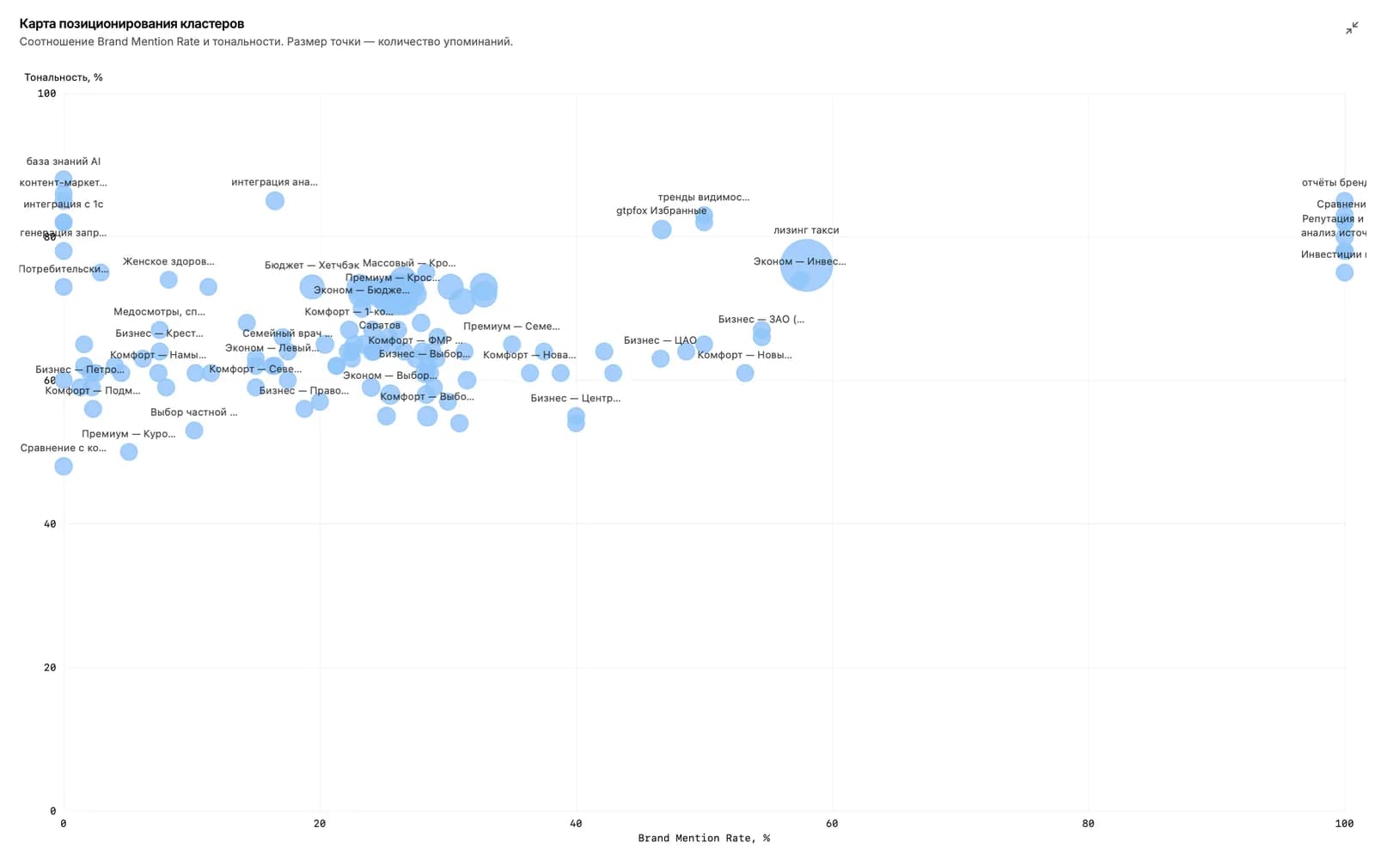
Отдельная вкладка «Позиционирование кластеров» показывает все кластеры на одной диаграмме. По горизонтальной оси откладывается тональность упоминаний, по вертикальной BMR (доля упоминаний бренда).
Размер каждой точки на диаграмме это количество упоминаний вашего бренда в кластере. Чем больше точка, тем чаще бренд звучит в этой теме. Так одним взглядом видно, где у вас сильные стороны, где бренд упоминают негативно, а где вообще не замечают.
Дальше читать
Не нашли ответ?
Напишите нам - отвечаем по будням в течение нескольких часов.